Samarth WB Gov In 2026 – Login, Status, Beneficiary & Payment Guide
Samarth WB Gov In 2026 is a useful search term for people looking for information about the Government of West Bengal’s SAMARTH portal, including login, beneficiary details, application information, and payment-related updates.
The official SAMARTH portal describes itself as a “One Umbrella Scheme” for the social pension schemes of the Government of West Bengal. The official login page provides fields for a registered mobile number, captcha, and password, along with a password-recovery option. The portal is designed by the National Informatics Centre (NIC), while its content, data, process, and operation are maintained by the Finance Department, Government of West Bengal.
This guide explains how to access SAMARTH, what information may be available after login, how beneficiary and payment information should be understood, and what to do when you cannot access your account.
What Is Samarth WB Gov In 2026?
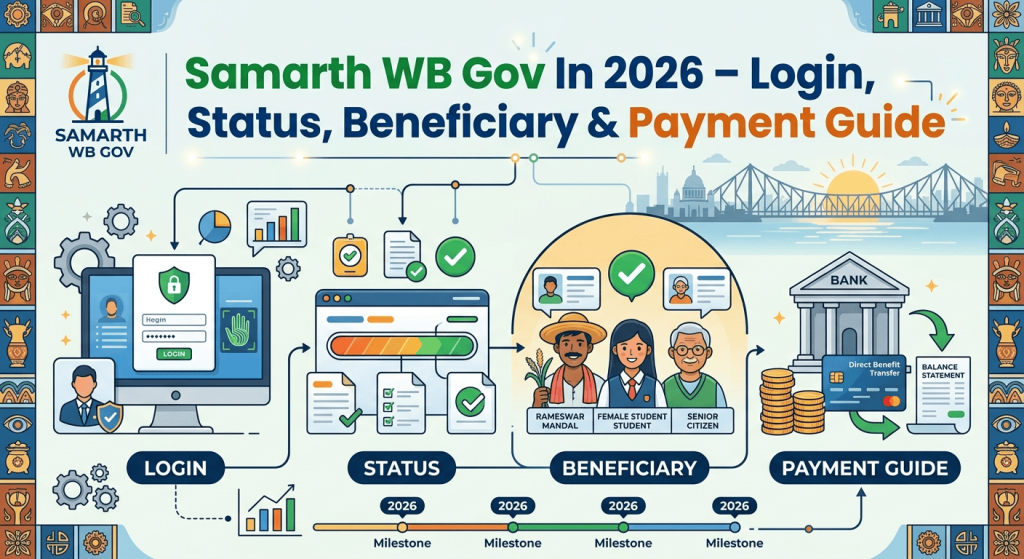
Samarth WB Gov In 2026 refers to the SAMARTH online system operated by the Government of West Bengal for social pension-related administration.
The official portal identifies SAMARTH as an umbrella scheme covering social pension schemes in West Bengal. Users with appropriate access can reach the login page using their registered mobile number, captcha, and password.
It is important to distinguish the official SAMARTH portal from similarly named websites. When checking sensitive beneficiary or payment information, always verify that you are using an official West Bengal Government website.
Samarth Portal Login 2026
The official SAMARTH login page currently provides three main login fields:
- Registered Mobile Number
- Captcha
- Password
It also provides a Forgot Password option.
How to Login to Samarth
Follow these general steps:
- Open the official SAMARTH portal.
- Enter your registered mobile number.
- Complete the captcha displayed on the page.
- Enter your password.
- Select the login option.
- After successful authentication, review the information available to your account.
Do not share your password or other login credentials with another person.
Samarth Status Check 2026
People searching for Samarth Status Check 2026 may be looking for application, beneficiary, or pension-related information.
The official SAMARTH website currently presents a login facility rather than a publicly indexed standalone status-check page. Therefore, the exact information available after login can depend on the user’s account, role, and associated scheme.
If you cannot find a separate public status option, avoid entering your personal information into an unofficial website. Instead, start with the official SAMARTH portal and the relevant West Bengal Government department.
How to Check Samarth Beneficiary Details
Beneficiary information can depend on the particular social pension scheme and the user’s records.
A general process is:
- Visit the official SAMARTH portal.
- Log in using your registered credentials.
- Look for the relevant beneficiary or scheme information available to your account.
- Check the name and other displayed details carefully.
- If information is missing or incorrect, contact the appropriate government department or local authority.
The Government of West Bengal also publishes information about individual pension schemes through its official departments. For example, the Farmers’ Old Age Pension scheme is integrated into the SAMARTH umbrella programme, and eligible beneficiaries receive financial assistance through direct bank-account transfer.
Samarth Payment Status 2026
Samarth Payment Status 2026 is another common search related to pension and beneficiary information.
Payment information should be interpreted carefully because the availability of payment details can depend on the particular scheme and beneficiary record. The official SAMARTH portal provides account login functionality, while individual West Bengal Government departments may publish additional information about specific schemes.
For example, the Government of West Bengal states that payments under the Farmers’ Old Age Pension scheme are credited directly to the beneficiary’s bank account through Direct Benefit Transfer (DBT).
Payment Status vs Bank Credit
A portal record and an actual bank credit are not necessarily the same thing.
If a payment is shown as processed or released, you should also check the associated bank account or official payment information available through the relevant department.
If money has not appeared in the bank account, verify:
- Bank account details
- Beneficiary information
- Payment period
- Scheme information
- Whether the payment has actually been released
Samarth Beneficiary Status 2026
Beneficiary status generally relates to whether an applicant or recipient is recorded within the relevant government scheme.
When reviewing beneficiary information, check:
- Beneficiary name
- Scheme name
- Application or beneficiary information
- Bank details where displayed
- Current status
- Payment-related information, if available
If your details are incorrect, do not create a second application simply because the information is not immediately visible. First verify the status through the appropriate official department or local authority.
Who Can Use the SAMARTH Portal?
The official portal is designed for administration of West Bengal’s social pension schemes rather than being a general public information portal. The login page requires registered credentials.
Access and available functions can therefore differ depending on the user’s role and the scheme connected to their account.
For specific schemes, eligibility requirements can also be different. For example, the Government of West Bengal’s Farmers’ Old Age Pension information states that eligible farmers aged 60 years and above can receive monthly financial assistance under that scheme.
What to Do If Samarth Login Is Not Working
If you cannot log in, check the following:
Check Your Registered Mobile Number
Make sure you are using the mobile number associated with the account.
Verify Your Password
Enter the password carefully and check for typing errors.
Use Forgot Password
The official SAMARTH login page provides a Forgot Password option.
Check the Captcha
Make sure the captcha is entered correctly.
Try Again Later
Temporary technical problems can sometimes prevent successful login.
Use the Official Website
Avoid unofficial websites asking for passwords, OTPs, or unnecessary personal information.
What If Samarth Payment Is Not Showing?
If your expected payment is not visible, first determine whether the issue concerns the portal record or the actual bank payment.
You can review:
- Your beneficiary details
- Your scheme information
- Payment-related information available after login
- Bank account details
- Relevant government department information
For scheme-specific questions, the department responsible for that scheme may provide more precise information than the general portal.
Samarth Portal and West Bengal Government Schemes
SAMARTH should not be confused with every social welfare programme in West Bengal. Different departments manage different schemes and publish their own eligibility and implementation information.
For example, the Government of West Bengal provides separate information for schemes such as Jai Johar, which provides social-security assistance to eligible elderly members of Scheduled Tribe communities.
Similarly, West Bengal’s Panchayat and Rural Development Department publishes information about National Social Assistance Programme (NSAP) pensions and explains that pension benefits are transferred electronically to beneficiaries’ bank accounts.
Therefore, if you are searching for a particular pension, always identify the exact scheme before assuming that every status or payment process is identical.
Important Safety Tips for Samarth Login
When using Samarth WB Gov In 2026, follow these basic security practices:
- Use the official Government of West Bengal portal.
- Do not share your password.
- Do not share OTPs with anyone.
- Check the website address before entering personal information.
- Avoid unofficial websites claiming to provide guaranteed payment updates.
- Keep your registered mobile number accessible.
- Verify important payment information through official government sources.
Frequently Asked Questions
What is Samarth WB Gov In 2026?
It refers to the Government of West Bengal’s SAMARTH portal and related information for social pension administration. The official portal describes SAMARTH as an umbrella scheme for West Bengal’s social pension schemes.
How do I login to the Samarth portal?
Open the official SAMARTH login page and enter your registered mobile number, captcha, and password. The portal also provides a password-recovery option.
How can I check Samarth beneficiary status?
Log in through the official portal and review the beneficiary or scheme information available to your account. The exact options can depend on the associated scheme and account.
How can I check Samarth payment status?
Payment-related information may be available through your account or the department responsible for your particular scheme. Do not rely on unofficial websites for payment information.
What should I do if I forget my Samarth password?
Use the Forgot Password option on the official SAMARTH login page.
Is SAMARTH connected with social pension schemes?
Yes. The official SAMARTH portal describes it as a one-umbrella scheme for the Government of West Bengal’s social pension schemes.
Official Samarth Resources
For accurate information, use official Government of West Bengal resources rather than third-party websites.
West Bengal Finance Department
Final Words
Samarth WB Gov In 2026 provides an important online entry point for the Government of West Bengal’s SAMARTH social-pension administration. The official portal currently provides a secure login facility using a registered mobile number, captcha, and password, with a password-recovery option.
For Samarth login, status, beneficiary, and payment information, always begin with the official portal and verify scheme-specific details through the relevant West Bengal Government department. This is especially important because eligibility, beneficiary records, and payment processes can differ between schemes.